

Appearance
lt-core
needs verificationPurpose
lt-core is the backend and system of record for accounts, researcher relationships and the LT Work workflow. It owns lifecycle rules and application programming interface (API) contracts, while Strapi owns editorial content management and Hugo owns public presentation.
Start with lt-core staging when the team gives you access. Think of it as the team's working records: who the researchers are, who is helping them, and where each video is in its journey.
What it does
Your first visit
The left menu groups people, LT Works, videos and affiliations. Researchers holds scientific profiles; Researcher Drafts holds invited people who have not registered. LT Works shows work in progress and its status. Videos holds playable outputs. You do not need to learn the underlying data model before exploring these screens.
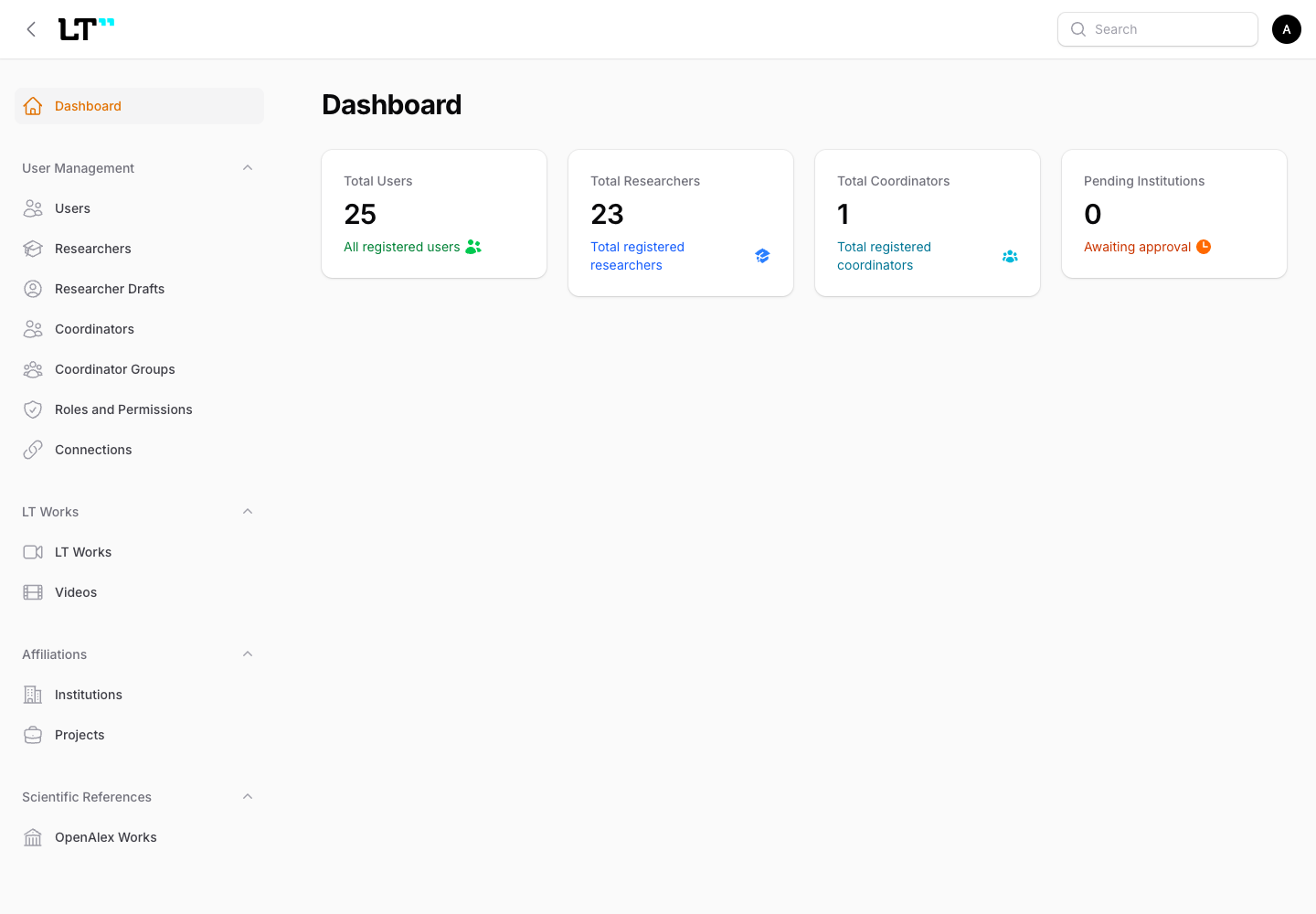
Local development dashboard, captured 10 September 2026 after signing in at local lt-core. Counts are sample local data, not production figures.
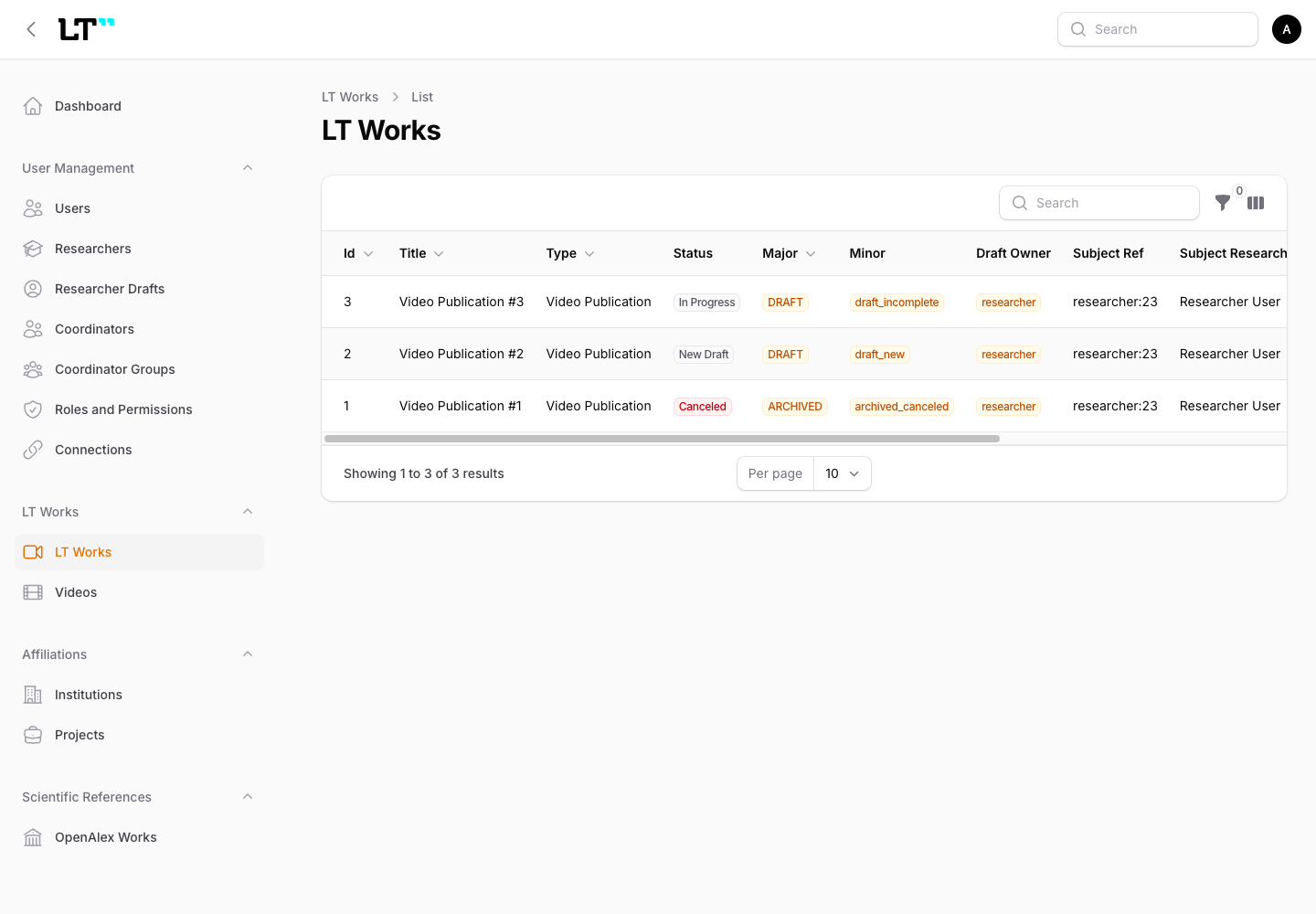
Open LT Works from the left menu to see each video's title, type and progress. This is the same local lt-core development instance; the screenshot contains sample records.
The records behind the screens
| Domain | What the records mean |
|---|---|
| User, Researcher, Researcher draft | A sign-in account, its scientific profile, or a person invited before registration |
| Coordinator, Coordinator group, Connection | An individual or shared working identity and its relationship with a researcher |
| Institution, Project | Organizations and project associations used in profiles |
| LT Work, LT Work type, Chapter | The workflow record, its format rules and individual recorded segments |
| Processing run, Video | A saved processing attempt and its playable output |
| OpenAlex work, DOI reference, File upload | A source paper, registration scaffolding for a Digital Object Identifier, and stored-file metadata |
Core handles email one-time codes, password and Open Researcher and Contributor ID (ORCID) login; profile and coordinator relationships; OpenAlex-assisted lookup; multipart upload control; submission and approval; Media Processing Engine (MPE) results; and website payload projection. The Filament admin panel provides inspection and management. The Model Context Protocol (MCP) server serves agent integrations.
For maintainers: technology
Laravel 12 and PHP 8.2+, PostgreSQL 16, Redis, Sanctum bearer-token authentication, Filament 4, Spatie permissions and Laravel MCP. Version requirements come from composer.json; PostgreSQL is documented in AGENTS.md.
How it connects
The mobile app sends workflow requests and uploads media directly to object storage using Core's upload control plane. A saved request goes to MPE; its callback returns processed-media metadata. Core validates existing R2 objects and projects Video records. Website payloads are available through machine-authenticated internal routes.
The Video configuration API is authenticated and scoped to researcher/coordinator work visibility. It is not an anonymous public website endpoint.
Who can do what
“Partial” means a restricted scope or a separate authentication surface. Administrator here means the Core role; Editor belongs to Strapi.
| Action | Anonymous | Researcher | Coordinator | Administrator | Editor |
|---|---|---|---|---|---|
| Sign in or register through public auth routes | Yes | Yes | Yes | Partial | No |
| Use mobile-domain API | No | Yes | Yes | Partial, impersonation | No |
| Manage own researcher profile | No | Yes | No | Yes, admin panel | No |
| Manage coordinator groups and drafts | No | No | Yes | Yes, admin panel | No |
| Create and submit LT Works | No | Yes, own subject | Yes, permitted subject | Partial, impersonation | No |
| Approve subject work and confirm final result | Partial, draft email link only | Yes, subject only | No | Partial, impersonation | No |
| Inspect all users, works and processing runs | No | No | No | Yes | No |
| Run mock Publish after final confirmation | No | No | No | Yes | No |
Environments and links
Environment base URLs are documented in staging infrastructure and production cutover evidence. These are documented destinations, not an availability test. Ask the team lead for a staging admin account; credentials do not belong in this site.
Where to read more
People and roles, what an LT Work means and the publication journey.
Known gaps
- DOI registration is scaffolding. The LT Work API returns null DOI and public URL; the website payload uses the source paper DOI. See DOI.
- Publish, unpublish and republish API routes are placeholders. Filament's Run mock Publish does call the publish service after researcher confirmation. Production automation remains unverified.
- Human editorial review is disabled in the minimum viable product (MVP). Successful MPE result handling sets the approval marker.
- Publication Plus website projection is unsupported. Automatic CMS delivery and page backreferences still need verification.
- The domain skill's February note saying no LT Work state machine was found is stale. Current minor-status enum and model take precedence.
All unresolved items are tracked in Open questions.
For maintainers: source references
These references require repository access. Everything needed to understand this page is explained above.
- repository boundaries
- domain models
- type configuration
- API routes
- authentication routes
- MCP routes
- composer.json
- AGENTS.md
- MPE contract
- website payload routes
- Video routes
- role seeds
- mobile restriction
- LT Work routes
- final confirmation checks
- Filament actions
- staging infrastructure
- production cutover evidence
- domain skill
- ORCID identity model
- developer actions
- result service
- minor-status enum