

Appearance
lt-player
needs verificationPurpose
LT Player is the proprietary web video player distributed as @latest-thinking/lt-player. The hosting page supplies configuration; the player displays the video. Explore the live player showcase to see it in action. Its binding specification is the place for detail.
What it does
Explore the public LT Player site. The capabilities below describe the checked-in specification; the version currently deployed there still needs verification.
The player works on lt-web, LT-hosted iframe embed pages, basic pages and third-party websites. A hosting page selects the layout and supplies the content. Available controls depend on that configuration, supplied data and browser support.
| Control or capability | What the person watching can do | Availability and specification |
|---|---|---|
| Playback controls | Play, pause, seek along the timeline, mute and adjust volume. Keyboard and touch controls support the same actions. | The hosting page can disable controls. Mobile volume uses device buttons. Core player |
| Chapters | See the video's structure on a segmented timeline, open the chapter menu and jump to Question, Method or another supplied chapter. | Requires chapter data; works in both layouts. Chapters |
| Captions | Turn subtitles on or off, or select a language when multiple tracks are supplied. | No caption control appears without tracks. The user's choice carries across videos. Captions |
| Playback speed | Tap the rate control to cycle through 1x, 1.2x, 1.5x and 2x by default. | The hosting page may offer different rates; the user's preference persists. Speed |
| Share | Copy a video link or iframe embed snippet, or choose a supported social destination. On supported mobile browsers, More opens the device's share sheet. | Usable options depend on supplied sharing URLs and configuration. Share |
| Context panel | Read a summary, key concepts, research field and transcript; inspect source publications and related videos without leaving playback. | Currently portrait only, with controls shown only for supplied content. Timestamped transcript entries can seek playback. Context panel |
| Landscape and portrait | Watch horizontal 16:9 or vertical 9:16 video with controls arranged for its shape. | The page chooses the layout. Landscape supports fullscreen; portrait currently omits that control. Layouts |
| Shorts feed | Swipe or use desktop navigation to move through portrait videos. Each video loops until the user advances. | The feed begins muted, offers Tap to unmute and skips to the first chapter when chapters exist. Shorts |
The context panel brings research context alongside the video when space allows, or opens a dialog when it does not. Its Knowledge view includes In a Nutshell, Key Concepts, Research Field and Transcript. Separate views show Underlying Publication and Related Videos. Sections marked as generated by artificial intelligence (AI) display an accuracy notice. These are supplied content views, not research that the player independently retrieves.
Try the player
Open the landscape example and press Watch now. Try Chapters to jump between parts, captions for the spoken text, and playback speed to change the pace. Share opens the sharing options available to that example.
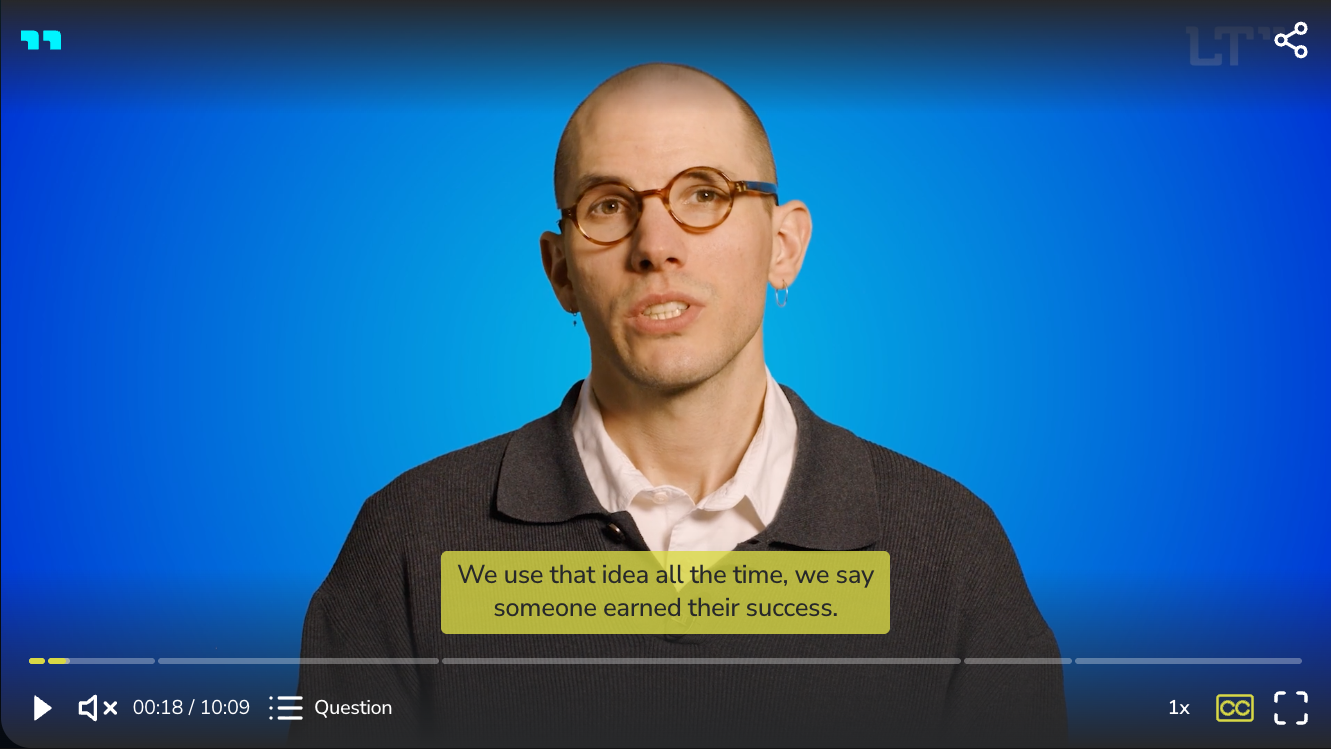
Landscape showcase, captured 10 September 2026. Available controls depend on the hosting page's configuration.
The portrait example demonstrates the vertical shape used for Publication and Profile Video. The context-panel example demonstrates related research information. The shorts example shows a sequence of vertical videos.
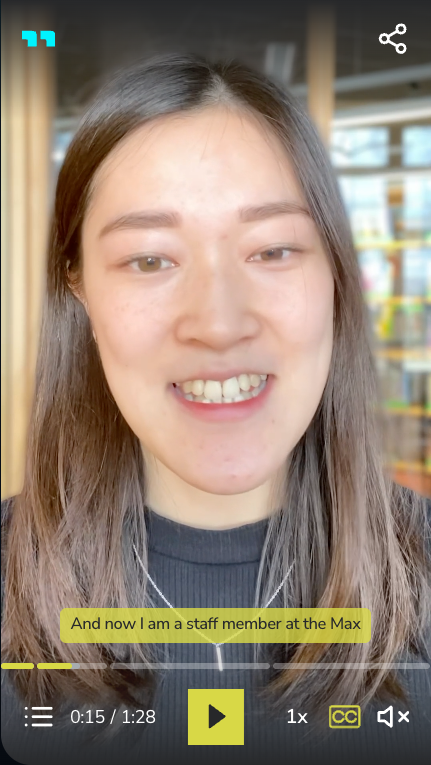
Portrait showcase, captured 10 September 2026. This is a player demonstration, not evidence of a particular published LT Work type.
For maintainers: technology
TypeScript, Vite and the Video.js 10 media foundation. The package uses ECMAScript modules (ESM) and bundles runtime dependencies. Version 3 is distributed as a beta.
How it connects
The hosting page supplies media URLs and configuration, then mounts and controls the player through its page interface. The player does not call the content management system (CMS). The mobile app has its own native player implementation.
Consumers may configure and bundle the compiled player. The license prohibits functional modification and standalone redistribution. Read the license for the full terms.
The native mobile player uses expo-video; see the lt-app player implementation.
Who can do what
All five personas can watch as public users. Yes means available through the hosting page; No means the business role grants no player development permission.
| Action | Anonymous | Researcher | Coordinator | Administrator | Editor |
|---|---|---|---|---|---|
| Watch and use enabled controls | Yes | Yes | Yes | Yes | Yes |
| Share through enabled controls | Yes | Yes | Yes | Yes | Yes |
| Change player code through a business role | No | No | No | No | No |
The specification calls the person watching the User. A hosting page developer configures instances. A maintainer develops and releases the package under the repository workflow. These are separate from LT account roles.
Environments and links
Demo mediahttps://demo.lt.orgMedia storage, not the documented showcase URL.
Public player sitehttps://player.lt.orgLive v3 showcase observed 10 September 2026; exact revision unverified.
Player documentationhttps://player.lt.org/docs/
Where to read more
Try the player showcase, landscape playback and portrait playback. This page explains the main controls; the public player documentation has more detail.
Known gaps
The public player site is now identified as player.lt.org. Its deployed version and the location of its rendered specification still need verification. The license review status requires external legal review before stable v3.0.0. See open questions.
For maintainers: source references
These references require repository access. Everything needed to understand this page is explained above.
- binding specification
- Usage contexts
- capability rules
- Core player
- Chapters
- Captions
- Speed
- Share
- Context panel
- Layouts
- Shorts
- Context-panel contract
- README
- Web contract
- license
- lt-app player implementation
- Vocabulary
- maintainer workflow
- Media infrastructure
- Branch policy
- specification
- contexts
- package guide
- license review status